Editorial note: This week’s entry is a little shorter. I just moved to a new Claude account and misplaced my notes from the old account!
What I Built
Week 6 introduced me to RAG. This week, I added agents and tools to the RAG pipeline so Claude could reason about what to retrieve, and moved from ChromaDB on my laptop to a hosted Pinecone index.
| Component | Week 6 | Week 7 |
|---|---|---|
| Pipeline | Query → Retrieve → Generate | Query → Agent Reasons About What to Retrieve → Targeted Retrieval → Generate |
| Vector DB | ChromaDB (local) | Pinecone (hosted, persistent) |
| Embeddings | OpenAI text-embedding-3-small | Same (it’s good, don’t fix what works) |
| Retrieval | Predetermined and fixed (always retrieve) | Agentic (Claude decides when/how) |
| Agent pattern | None (fixed code pipeline) | MCP-style (tools as a menu Claude reasons over) |
| Deployment | Streamlit Cloud | Same (no need to change) |
Pinecone Migration
ChromaDB was perfect for Week 6 learning. Here’s where I saw it break down in production:
| Problem | What Happens | Impact |
|---|---|---|
| No persistence on Streamlit Cloud | Files disappear on app restart | Users lose their indexed documents |
| Single-process only | Two users can’t write simultaneously | Breaks with any real team usage |
| No backups | File corruption = total data loss | Unacceptable for production |
| No filtering at scale | Metadata queries slow above ~10K docs | Future bottleneck |
The fix is a hosted vector database. Claude recommended Pinecone.
The mental model shift: “ChromaDB is SQLite. Pinecone is Postgres.”
This is a great plug. Is Anthropic getting a kickback? I decided not to push back for now. Creating an account was free and it only took a few minutes to set up my first Pinecone index.
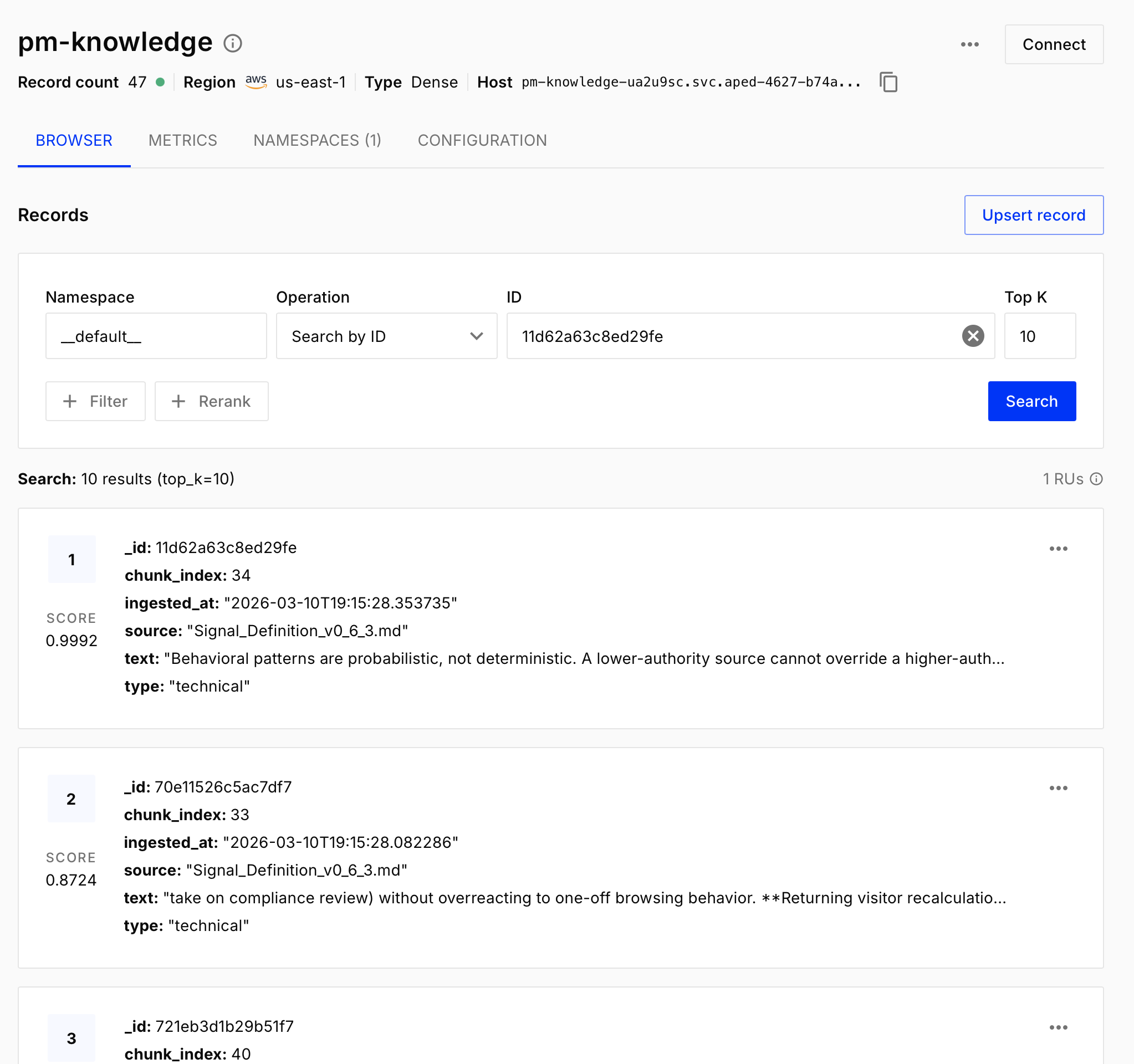
Next, Claude and I rebuilt the ingestion pipeline. 30-45 minutes of work. About 4-5k tokens. The new code looked structurally similar to ChromaDB, with two key differences. First, the code now passes OpenAI embedding vectors (Pinecone doesn’t handle the embedding call for you):
def get_embedding(text, model="text-embedding-3-small"):
    """Get embedding vector — explicit in Pinecone, unlike ChromaDB"""
    response = openai_client.embeddings.create(input=text, model=model)
    return response.data[0].embedding
Second, Pinecone’s upsert is idempotent: same ID means update, not duplicate. To verify the migration worked, Claude and I built pinecone_rag_assistant.py and ran the same grounding tests from Week 6:
- Ask about Q3 conversion results (should cite the specific 2.3%)
- Ask about Adobe Target config (should reference the indexed doc)
- Ask about Salesforce integration (should admit it doesn’t know)
All three passed. The Pinecone backend seemed functionally equivalent to ChromaDB, but now the data persists across app restarts and deployments.
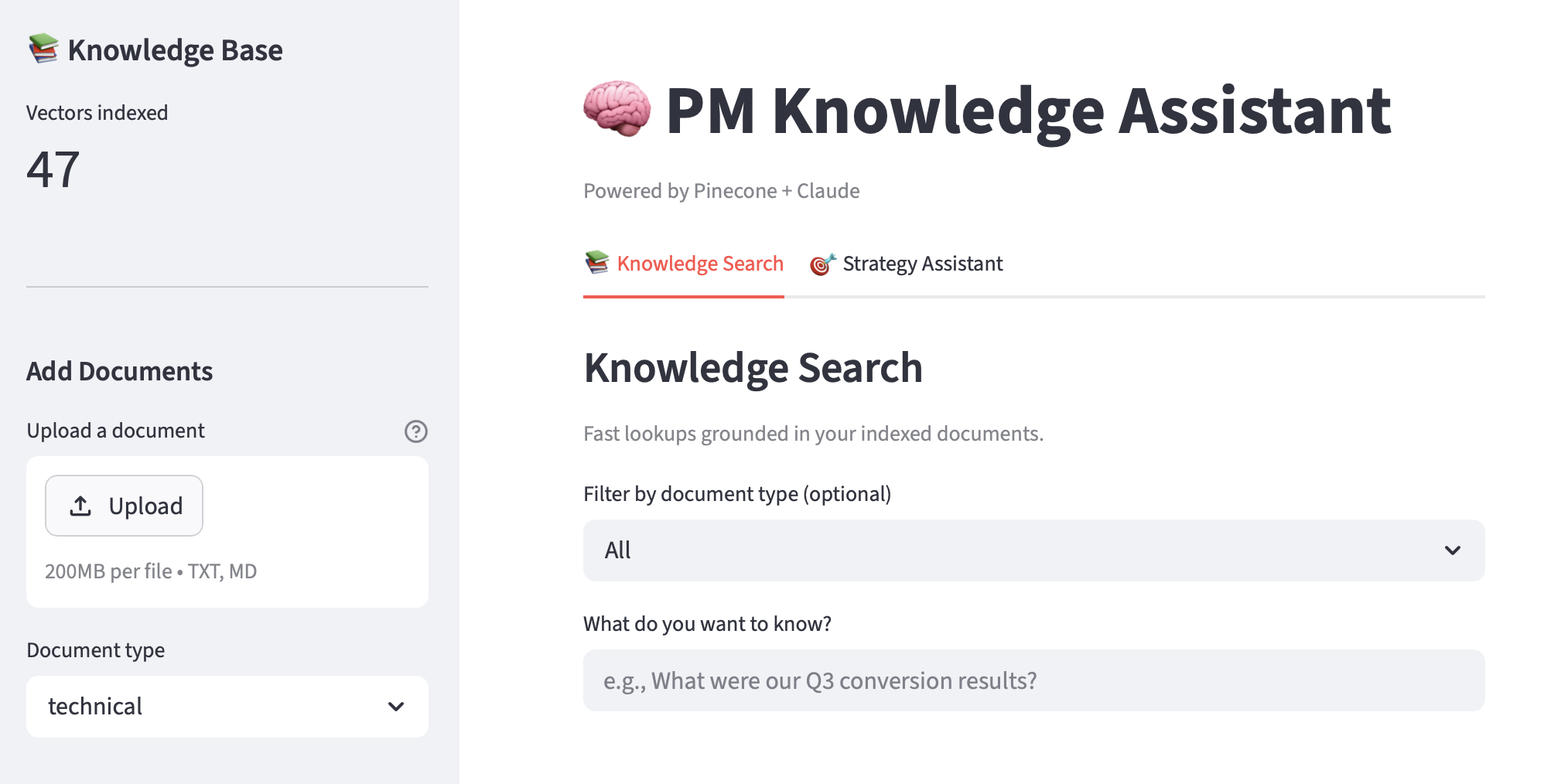
Next, I upgraded the Knowledge Assistant Streamlit app from ChromaDB (knowledge_assistant_app.py) to Pinecone (knowledge_assistant_v2.py). The sidebar now shows the live Pinecone vector count instead of a local ChromaDB collection count, and the document upload widget pushes directly to the hosted index. Deployed to Streamlit Cloud, restarted, confirmed the vectors were still there. Done and done.
Agentic RAG
On Wednesday, I added an agent to the mix. The RAG pipeline I built in Week 6 was non-agentic: embed the query, retrieve top-K chunks, send them to Claude, generate an answer. (I’ll call this “standard RAG” from here on.) The same steps run regardless of whether the question is simple or complex.
With agentic RAG, Claude decides. RAG isn’t a pipeline the code runs automatically anymore. It’s a tool Claude can choose to invoke. I give Claude access to a search_knowledge_base tool and let it figure out the retrieval strategy. For a simple factual lookup (“What is our Adobe Target server call limit?”), it searches once and answers. For a complex strategic question (‘Based on our Q3 results, what personalization tests should we prioritize for Q4?’), the agent can search multiple times with different queries and metadata filters before producing a final answer.
The implementation I created in agentic_rag.py uses a standard tool use loop:
- Send the question
- Check if Claude wants to use a tool
- Execute the tool
- Return the result
- Repeat until Claude produces a final answer.
The agent tracks how many searches it performs per question, which turned out to be a useful diagnostic. Simple questions: 1 search. Complex questions: 2-3 searches with different queries. Out-of-scope questions: 1 search, finds nothing relevant, admits it. Architecturally, this gives Claude room to iterate on retrieval in ways the fixed pipeline can’t. Standard RAG retrieves whatever is closest to the raw query and hopes it’s enough. Agentic RAG lets Claude refine its search strategy mid-flight.
I ran a head-to-head comparison using the same three test questions through both pipelines, scored by an LLM judge on a 5-point scale:
| Question type | Standard | Agentic | Searches | Token overhead |
|---|---|---|---|---|
| Simple lookup | 4/5 | 5/5 | 1 vs 1 | -487 (agentic cheaper) |
| Complex/strategic | 4/5 | 4/5 | 1 vs 5 | +6,957 (+188%) |
| Out of scope | 4/5 | 4/5 | 1 vs 2 | +1,287 (+29%) |
| Average | 4.0 | 4.3 | — | +66% total |
The results were more nuanced than I expected. Agentic RAG’s quality edge was small (0.3 points average), and the complex strategic question, where I most expected multi-search to shine, was a tie. The agentic agent made 5 searches on that question and consumed nearly 3x the tokens, but the judge scored both answers the same. The structural advantage of adaptive retrieval is real, but on this test set, the quality payoff doesn’t seem to justify the cost difference. The real payoff likely requires the full multi-agent decomposition pattern (Planner → Workers → Synthesizer) built later in the week, not just a single agent with more search autonomy.
MCP-Pattern Tool Server
MCP (Model Context Protocol) seems to be a hot topic lately, and it seemed like a natural progression from the shared tool library I built in Week 4. In practice, this meant refactoring my tools into a single mcp_tools.py file with:
- Two exports -
TOOL_DEFINITIONS(the menu of available tools) andhandle_tool_call(the dispatcher that routes tool calls to the right handler). - Three tools -
pm_knowledge_search(Pinecone search),get_current_context(today’s date and current quarter), andcalculate_roi(the traffic-derived ROI calculator from Week 4, now a proper tool).
Then I built mcp_agent.py, which imports those two exports and runs an agent loop. The agent is generic; the tools are specific. If I want to add a new tool next week, I add it in mcp_tools.py and every agent that imports the module gets it automatically. Define once, use everywhere. I also connected Notion, Google Calendar, and Gmail as MCP servers in Claude.ai this week, which made the concept tangible.
Strategy Assistant v3
My Personalization Strategy Assistant from Week 4 had a hard-coded data flow and used mock data. Today, I rebuilt it with:
- Real data from my Pinecone knowledge base
- Current, accurate temporal context
- ROI calculations
- An agent that reasons about which tools to use for each sub-question
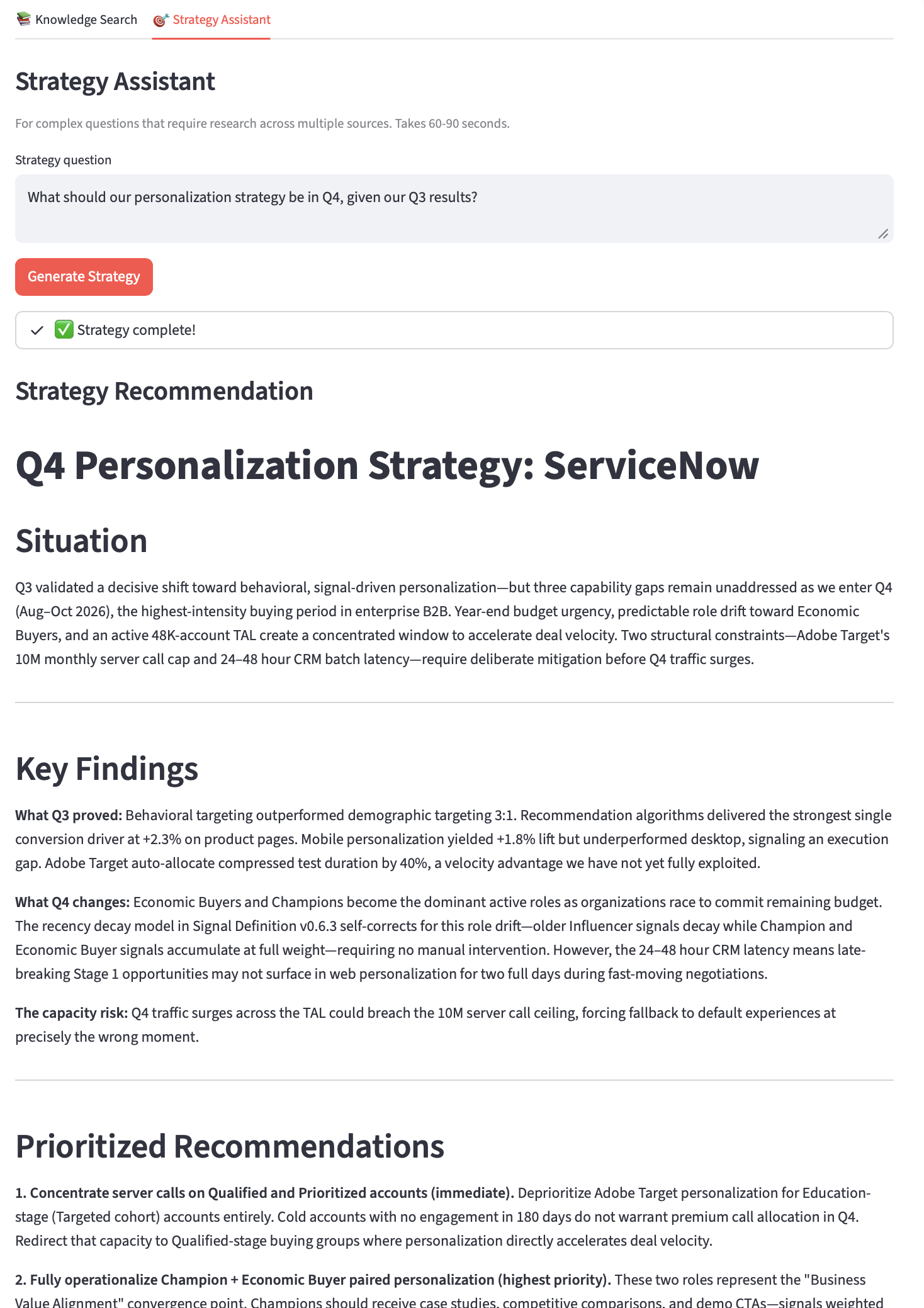
The Strategy Assistant is the most architecturally complex thing I’ve deployed so far. The agent architecture uses the same Planner → Workers → Synthesizer pattern, but now the Workers have real tools. Three independent worker agents running in sequence, each making their own tool use decisions, feeding results into a synthesis step. The status expander shows each step in real-time so the user can see the research happening.
Streamlit Deployment + Golden Set Evaluation
Instead of deploying the Day 5 Strategy Assistant as a separate app, I combined it with my Knowledge Assistant from earlier in the week into a single Streamlit app with multiple tabs.
Tab 1 is my standard RAG app (fixed retrieval pipeline, no agent). Tab 2 is a multi-agent orchestration system. They share the same Streamlit shell and the same Pinecone index, but architecturally they’re different systems connected by the shared MCP tool layer. Deployed to Streamlit Cloud, same repo, same secrets, no new infrastructure.
Next, I built golden_set_evaluation.py with 7 test cases across three categories:
- Factual lookups (3 cases testing specific data retrieval)
- Out-of-scope questions (2 cases testing graceful failure)
- Single-doc questions (2 cases testing the documents I’d indexed).
Each test case has rule-based checks (must_contain, must_not_contain, must_cite) plus an LLM judge scoring accuracy, completeness, and clarity on a 5-point scale.
Results: 100% pass rate on rule-based checks, 4.4/5.0 average LLM judge score. The out-of-scope category scored well, which is actually harder to get right than factual recall. Not bad!
What I Learned
Standard vs. Agentic RAG Is a Product Decision
The technical difference is who controls retrieval. Standard RAG is predictable, fast, and cheap: you can profile exactly how many API calls each query will consume. Agentic RAG is adaptive and variable-cost. The head-to-head comparison made this concrete: on the complex strategic question, the agentic agent made 5 searches and consumed nearly 3x the tokens, but the LLM judge scored it the same as standard RAG (both 4/5). Across all three test cases, the quality edge was only 0.3 points (4.3 vs 4.0) at a 66% token premium. More retrieval doesn’t automatically mean better answers.
The real quality leap came from the multi-agent architecture in the Strategy Assistant: decomposing questions into sub-questions, dispatching independent workers, and synthesizing across findings. That’s structurally different from letting one agent search more times.
For my Knowledge Assistant, the takeaway was: offer both, but for different reasons than I originally assumed. Tab 1 (standard RAG) isn’t just the cheap option; it’s genuinely sufficient for most questions. Tab 2 (Strategy Assistant) earns its cost because multi-agent decomposition does something standard RAG structurally can’t. Simple mode for daily use, power mode for strategic work. The key is making sure the power mode delivers proportional value, not just proportional cost.
MCP Is Composability, Not Complexity
The insight that landed hardest this week: I’d been building MCP-compatible tools since Week 3. Every tool schema I’d written, every handler function, every dispatch loop. The pattern was already there. MCP just standardizes the interface so tools are composable across agents instead of hardwired to one.
I expected MCP to be complicated. It wasn’t. The entire mcp_tools.py file is a tool registry (list of schemas) plus a dispatcher (route tool name to handler function). That’s it. The value isn’t in the implementation; it’s in the discipline of defining tools in one place so any agent can use them.
The proof: knowledge_assistant_v3.py imports from mcp_tools.py and the Strategy Assistant workers get all three tools automatically. mcp_agent.py imports the same file and gets the same tools. If I build a new agent next week, it starts with full tool access by adding one import line.
Idempotent Operations Matter More Than You’d Think
Pinecone’s idempotent upsert (“same ID = update, not duplicate”) is a small technical detail that has outsized impact. In production, users will upload the same document twice. They’ll update a document and re-ingest it. Without idempotent operations, the knowledge base accumulates garbage. With them, re-ingestion is safe and expected. This principle extends beyond vector databases: anywhere users can repeat an action, the system should handle it gracefully.
What I Struggled With
This was a relatively smooth week. The Pinecone migration was straightforward because the concepts transferred directly from ChromaDB. The agentic RAG loop was familiar from Week 3’s tool use patterns. The MCP refactoring was more organizational than technical.
Looking Ahead to Week 8
I’ve built a nice collection of new capabilities and have already used them to improve several of the simple tools I built in the first weeks of my journey. In that spirit, I’ll be revisiting my Feature Spec Generator next week and re-imagining it as a SAFe Feature Spec System. Six agents, a 100-point rubric, and the goal of replacing a manual process that takes several days (or even weeks) and at least 3 people with an automated workflow that takes 10 minutes to complete.
Week 7 complete. Knowledge Assistant upgraded from local prototype to production-grade research tool. Agentic RAG and MCP patterns established. Next week: from individual tools to workflow products.